Get it · $39
← All plugins

Full details & specs

Master Sauce

Mastering on one screen: one SAUCE dial from 0 to 100, and a picture of exactly what it changes.

1SAUCE dial
6sliders
3loudness aims
8presets built in
1

Turn the sauce

One dial does most of the work.
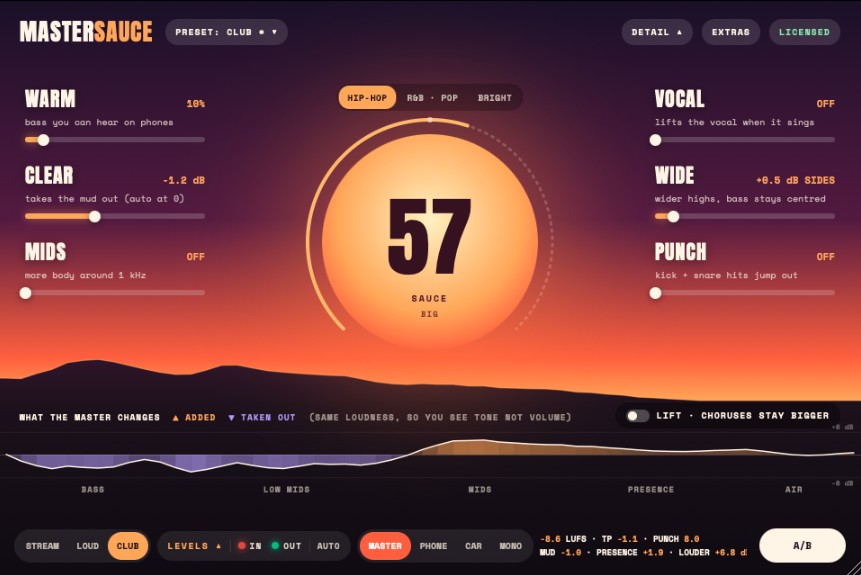
Master Sauce window with the Turn the sauce area highlighted
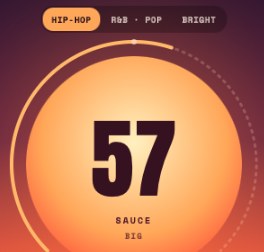
  • SAUCE drag up or down, 0 to 100. 50 is everyday
  • Tone Hip-hop, R&B · Pop or Bright
  • Presets 8 built in, or save your own
2

Warm, Clear, Mids

The body of your song.

Master Sauce window with the Warm, Clear, Mids area highlighted
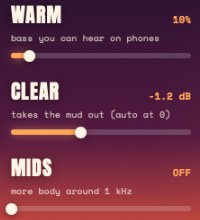
  • WARM bass you can hear on phones
  • CLEAR takes the mud out (auto at 0)
  • MIDS more body around 1 kHz
4

See what it changes

The horizon shows what the master adds and takes away.

Master Sauce window with the See what it changes area highlighted
  • Orange what it added
  • Purple what it took out
  • Lift choruses stay bigger
5

Loud, checked, compared

The bottom bar.

Master Sauce window with the Loud, checked, compared area highlighted
  • Aim Stream, Loud or Club, and it sets the level
  • Speakers hear it on a phone, in a car or in mono
  • A/B your mix at the same loudness

Specs

  • FormatsMac AU + VST3 · Windows VST3
  • SystemsApple Silicon + Intel · Windows 10/11
  • Works inLogic, GarageBand, Ableton, FL Studio + more · last on your stereo out
  • LicenseOne-time · 3 computers · works offline
  • UpdatesFree
  • Guarantee30 days money back
$39

One-time · Mac + Windows · 30-day money-back guarantee

Get Master Sauce → Or get all 11 tools in the Plugin Bundle for $99

Every control in Master Sauce, top to bottom. Tap a section in the menu to jump straight to it.

01

Presets & menus

Along the top.

Master Sauce: Presets & menus
Preset
8 built in: Everyday, Polished, Big, Huge, Max Sauce, Warm Tape, Streaming and Club. Or save your own.
Detail
Opens the detail sheet with the finer controls.
Extras
Updates, right inside the plugin.

02

The sauce

The big dial in the middle.

Master Sauce: The sauce
SAUCE
Drag up or down, 0 to 100. 50 is everyday; past 50 it gets bigger and wider. Double-click for 50.
Tone
Hip-hop, R&B · Pop or Bright: the tone it aims for.

03

Warm, Clear, Mids

The sliders on the left.

Master Sauce: Warm, Clear, Mids
WARM
Adds bass you can hear on phones and small speakers.
CLEAR
Takes the mud out. At 0 it does it by itself.
MIDS
More body around 1 kHz.

04

Vocal, Wide, Punch

The sliders on the right.

Master Sauce: Vocal, Wide, Punch
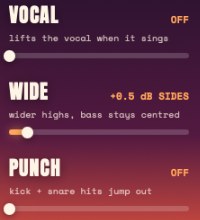
VOCAL
Lifts the vocal, only while it sings.
WIDE
Wider highs. The bass stays centred.
PUNCH
Kick and snare hits jump out.

05

What the master changes

Shown at the same loudness, so you see tone, not volume.

Master Sauce: What the master changes
Orange
Where it added.
Purple
Where it took out.
The line
Your mastered song, from bass to air.
Lift
On: choruses stay bigger than verses.

06

Aim & levels

How loud it ends up.

Master Sauce: Aim & levels
Stream · Loud · Club
The loudness aim. It sets the level for you.
Levels
IN and OUT lights: green is the sweet spot. Open it to set input and output by hand.
Auto
It finds the level once, then holds it.

07

Check & compare

How it sounds everywhere.

Master Sauce: Check & compare
Master · Phone · Car · Mono
Hear your master the way each speaker would. It is printed in a bounce, so set it back to Master.
Readout
LUFS, true peak, punch and what changed.
A/B
Your mix at the same loudness as the master.

08

The detail sheet

Under Detail.

Bass · Air
Low and high shelves.
Calm · Tape
Smooths harsh peaks, adds tape warmth.
Input · Level · Ceiling
Set the level by hand, and the highest peak.
Mono bass
Keeps the low end centred.

09

The extras

The little things.

EXTRAS
Opens the update panel: when a new version is out, Download & install it right inside the plugin. No emails, no license key again.
Licensed
Shows the plugin is unlocked. In the demo it plays with short muffled dropouts until you enter your key.
Resize
Drag the bottom-right corner to make the window bigger or smaller. The size is saved with your project.

Specs

Formats
Mac AU + VST3 · Windows VST3
Systems
Apple Silicon + Intel · Windows 10/11
Works in
Logic, GarageBand, Ableton, FL Studio + more · last on your stereo out
License
One-time · 3 computers · works offline
Updates
Free
Guarantee
30 days money back
$39

One-time · Mac + Windows · 30-day money-back guarantee

Get Master Sauce →Or get all 11 tools in the Plugin Bundle for $99